
Interactive
Media II
Designing & Building for the Web
Designing & Building for the Web
Interactive Media II explored how visual design, interaction, and front-end development come together on the web. Across a series of projects, I designed and built interactive experiences using HTML, CSS, and JavaScript, moving from early sketches and Figma concepts into functional websites.
Each assignment introduced a different way of thinking about interaction, from generating playful personalized content to revealing stories through objects and redesigning a familiar game. Together, the projects taught me how code and programmatic thinking can support visual storytelling, user experience, and my broader design process.

Context
Overview - Learning Through Making
Rather than developing one product throughout the quarter, the course was structured around a series of increasingly interactive web projects. Each project gave me an opportunity to experiment with a different interaction model while continuing to develop my HTML, CSS, JavaScript, and visual design skills.
I approached the projects as both a designer and developer, considering not only how each experience should look, but how a user would interact with it and how I could translate those ideas into working code.
Project Index
01 - Homepage
Establishing a visual identity and responsive home for my work.
Establishing a visual identity and responsive home for my work.
02 - Plant Sitting
Using user input and JavaScript to generate a playful Mad Lib experience.
Using user input and JavaScript to generate a playful Mad Lib experience.
03 - My Junk Drawer
Turning photographs into an interactive interface.
Turning photographs into an interactive interface.
04 - Plant Pig
Reimagining the classic Pig dice game.
Reimagining the classic Pig dice game.
01 / Foundation
Homepage
I began the course by creating a homepage that would eventually organize my research and projects from throughout the quarter. Rather than treating it as a purely functional index, I developed a plant-inspired visual direction that could give the different assignments a shared identity.
The page challenged me to think about hierarchy, organization, responsive layout, and how multiple pieces of content could live within one cohesive visual system.


Placeholder
02 / Form Interaction
Plant Sitting
— Mad Lib
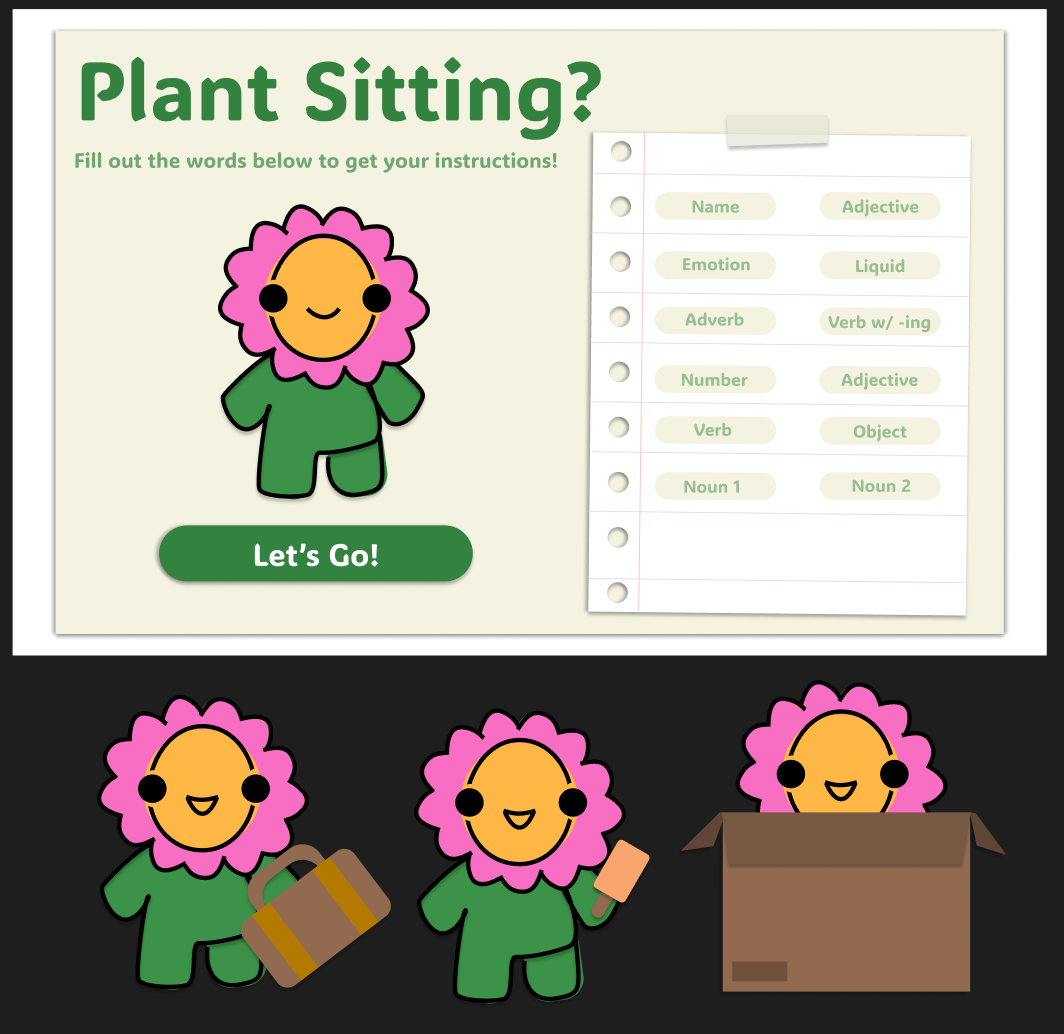
The first major interactive project explored how user input could transform a webpage. I designed Plant Sitting, a playful Mad Lib experience where information entered by the user becomes part of the final generated story.
Reducing the Friction of Forms
Forms can quickly feel overwhelming, especially when users have to come up with answers from scratch. To reduce cognitive load, I paired each input with a clear label and example response, giving users an immediate sense of what kind of information was expected. Familiar language, playful examples, and a simple two-column layout helped make the form feel more approachable.
Designing in Figma first established the hierarchy and tone before moving into HTML, CSS, and JavaScript, where even simple interactions required careful consideration of user input and feedback.



Placeholder
03 / Interactive Storytelling
My Junk Drawer
— Every Picture
For Every Picture, I wanted to explore how an ordinary image could become an interactive storytelling experience. I photographed a junk drawer filled with objects that might appear insignificant on their own but carried memories, relationships, and small pieces of my life.
Turning an Image Into an Interface
I created interactive hotspots around objects within the drawer, allowing the original photograph to function as the site's navigation. Selecting different objects reveals accompanying images and short stories, turning exploration into part of the experience rather than simply displaying the content all at once.


Designing for Discovery
One of my favorite parts of the project was balancing discoverability with surprise. The interface needed to communicate that the drawer could be explored without immediately revealing every story it contained.
This project changed how I thought about navigation. An interface doesn't always have to rely on traditional menus and buttons; the content itself can become the way someone moves through an experience.
Placeholder
04 / Game Design
Plant Pig
— Game On
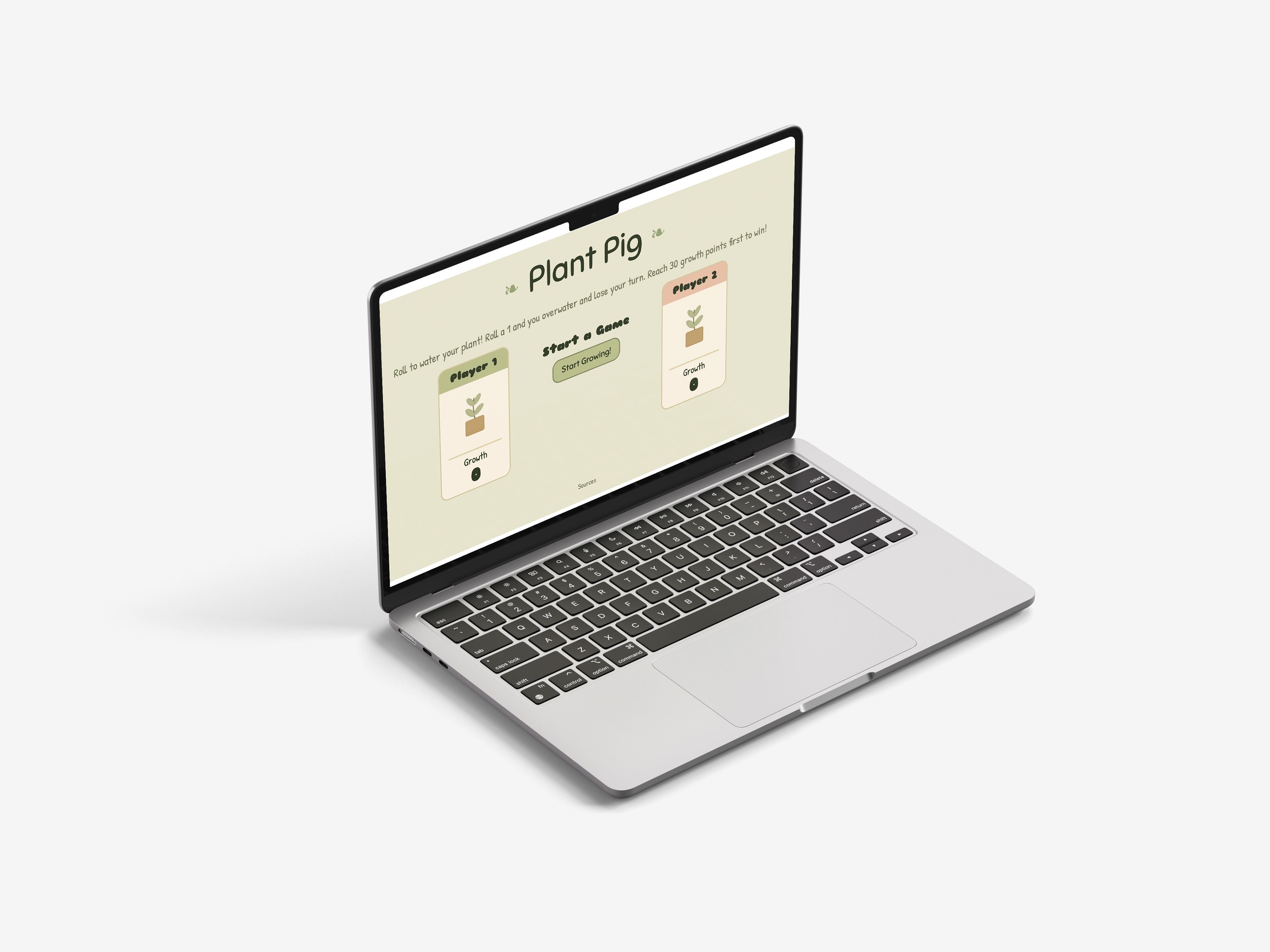
For the final project, I reimagined the classic dice game Pig through a plant-growth theme. I began by analyzing the original game, its rules, interactions, and JavaScript before considering how I could reinterpret the experience through my
own concept.
own concept.
Experimenting With Feedback
Plant Pig became an opportunity to experiment with different forms of feedback in JavaScript. Alongside score and game-state changes, I used plant growth and sound to make player actions feel more responsive and reinforce what was happening during gameplay.


Working with an existing game also challenged me to understand unfamiliar code before changing it. Annotating the JavaScript helped me understand how different functions worked together and identify where I could introduce new interactions without disrupting the game. This gave me valuable practice working within an existing codebase, a skill I can carry into future collaborative and development projects.
Placeholder
Outcomes
Static Pages to Interactive Experiences
Across the quarter, my work progressed from organizing information on a webpage to creating experiences that responded directly to user actions. Plant Sitting introduced dynamic content through user input, My Junk Drawer transformed objects into interactive storytelling, and Plant Pig explored game logic, sound, and responsive feedback.


Takeaways
Designing With Code
Before this course, I was much more comfortable thinking about how an interface should look than how it would actually work. Building each project myself required me to think visually and programmatically at the same time, constantly balancing what I wanted an interaction to do with how I could realistically build it.
I learned that interaction decisions have technical consequences, but I also learned that technical limitations can lead to new design decisions. Moving repeatedly between Figma, HTML, CSS, and JavaScript helped me become more comfortable treating development as part of my design process rather than simply the step that happens after a design is finished.
Learning Through Experimentation
The projects also made me more willing to experiment. Not every idea translated cleanly from a sketch or Figma file into the browser, and debugging often required me to reconsider how an interaction should work rather than simply trying to reproduce my original design exactly.
By the end of the quarter, I felt much more confident moving between visual design and front-end development and creating interactive experiences that use code in support of a larger concept.
Pushing It Further
Most importantly, the course changed the way I approach design as a whole. I now think about an interface not only as something someone sees, but as something they actively experience.


